UI/UX RESEARCH & DESIGN
Redesigning the KFC App for a Smoother Ordering Experience
ROLE
ROLE
End to end Research & Design
End to end Research & Design
End to end Research & Design
SCOPE
SCOPE
2 Weeks
2 Weeks
2 Weeks
YEAR
YEAR
2023
2023
2023
TOOLS
TOOLS
Figma
Figma
Figma
Project Intro
KFC is one of the world’s largest fast food chains, known for serving its famous flavors through delivery and dine-in ordering options.
KFC is one of the world’s largest fast food chains, known for serving its famous flavors through delivery and dine-in ordering options.
Problem Discovery
Both new and existing KFC app users prefer ordering from a distance to skip the queues and enjoy their food as soon as they arrive at the outlet.
Both new and existing KFC app users prefer ordering from a distance to skip the queues and enjoy their food as soon as they arrive at the outlet.
The app’s rating is relatively low at 3.7 compared to other fast food delivery apps. However, many users still appreciate the convenience it offers, as seen in the positive feedback on the Play Store.
The app’s rating is relatively low at 3.7 compared to other fast food delivery apps. However, many users still appreciate the convenience it offers, as seen in the positive feedback on the Play Store.
How can we make ordering process easier and faster for both new and existing users?
How can we make ordering process easier and faster for both new and existing users?
Our Solution
Several solutions are offered to improve the ordering experience, making it easier, faster, and more convenient for all users. You can read these solutions below.
Several solutions are offered to improve the ordering experience, making it easier, faster, and more convenient for all users. You can read these solutions below.
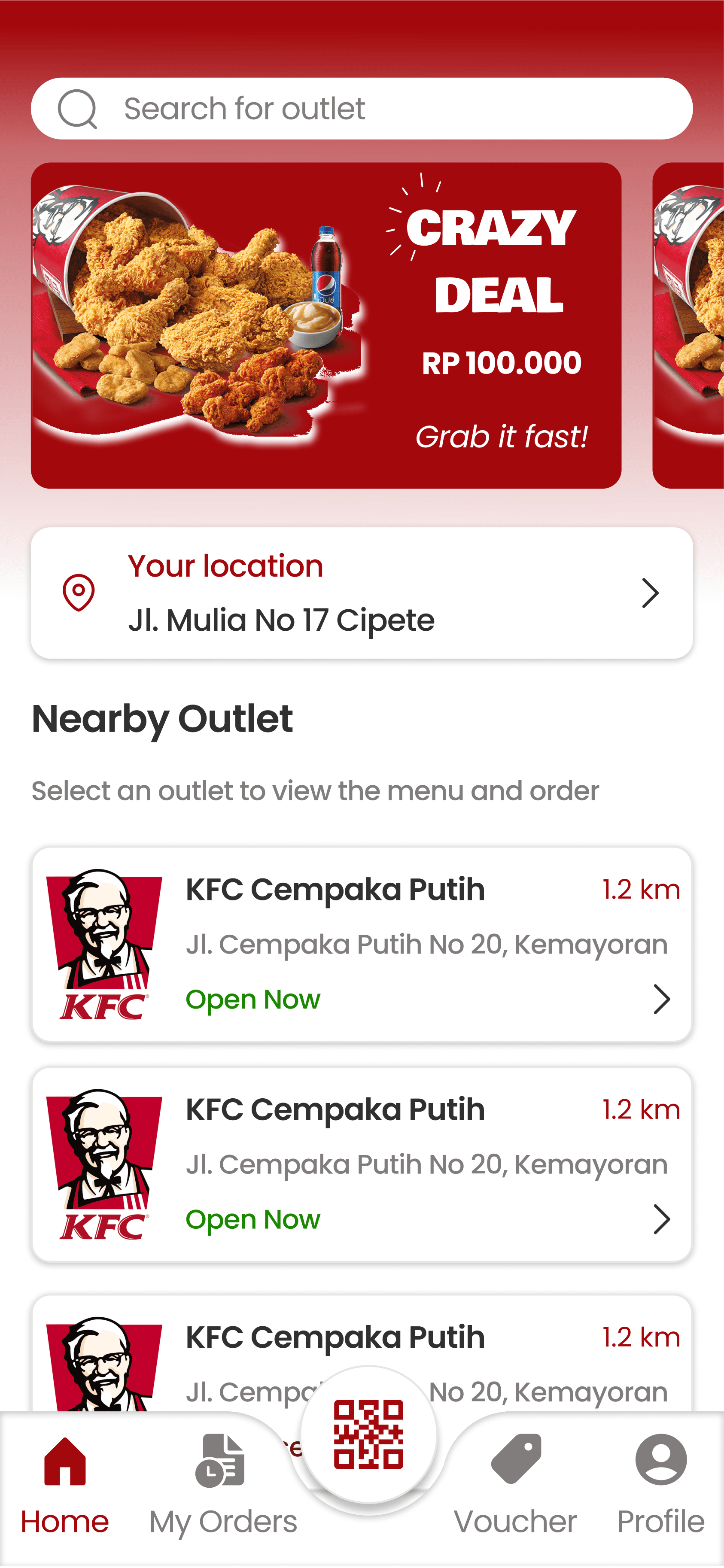
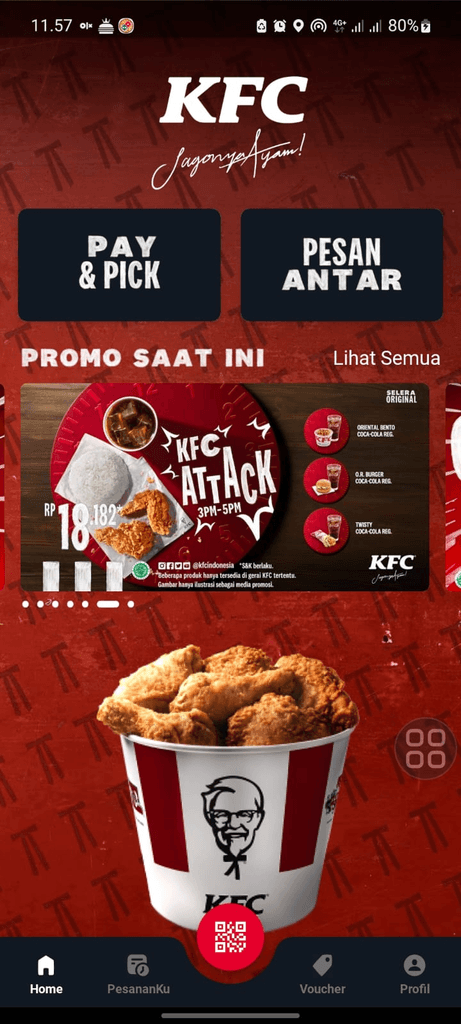
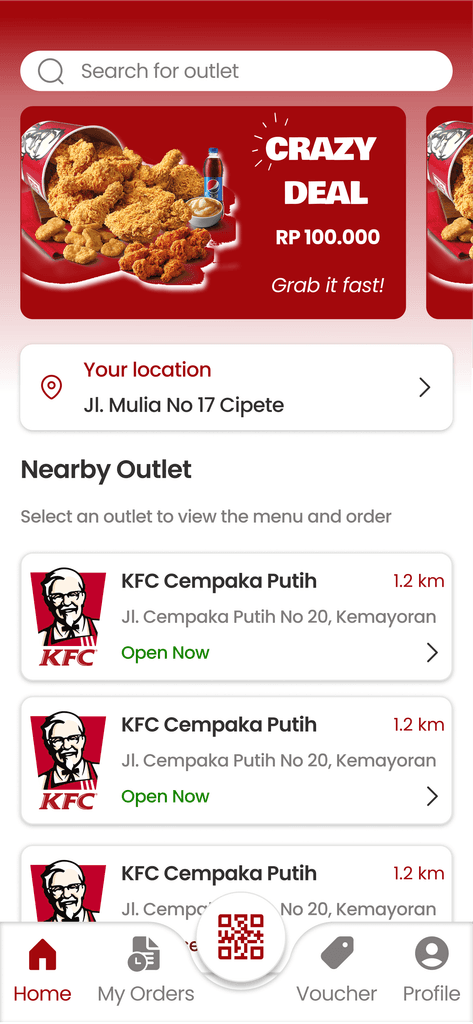
Make the UI homepage more comfortable users to orders
Make the UI homepage more comfortable users to orders
➡️ Users can search and order from outlets not listed as the nearest options
➡️ Makes it easy to change and view saved addresses
➡️ Open outlet marker
➡️ Users can search and order from outlets not listed as the nearest options
➡️ Makes it easy to change and view saved addresses
➡️ Open outlet marker
Users can search and order from outlets not listed as the nearest options
Makes it easy to change and view saved addresses
Open outlet marker
Before
Before
after
after
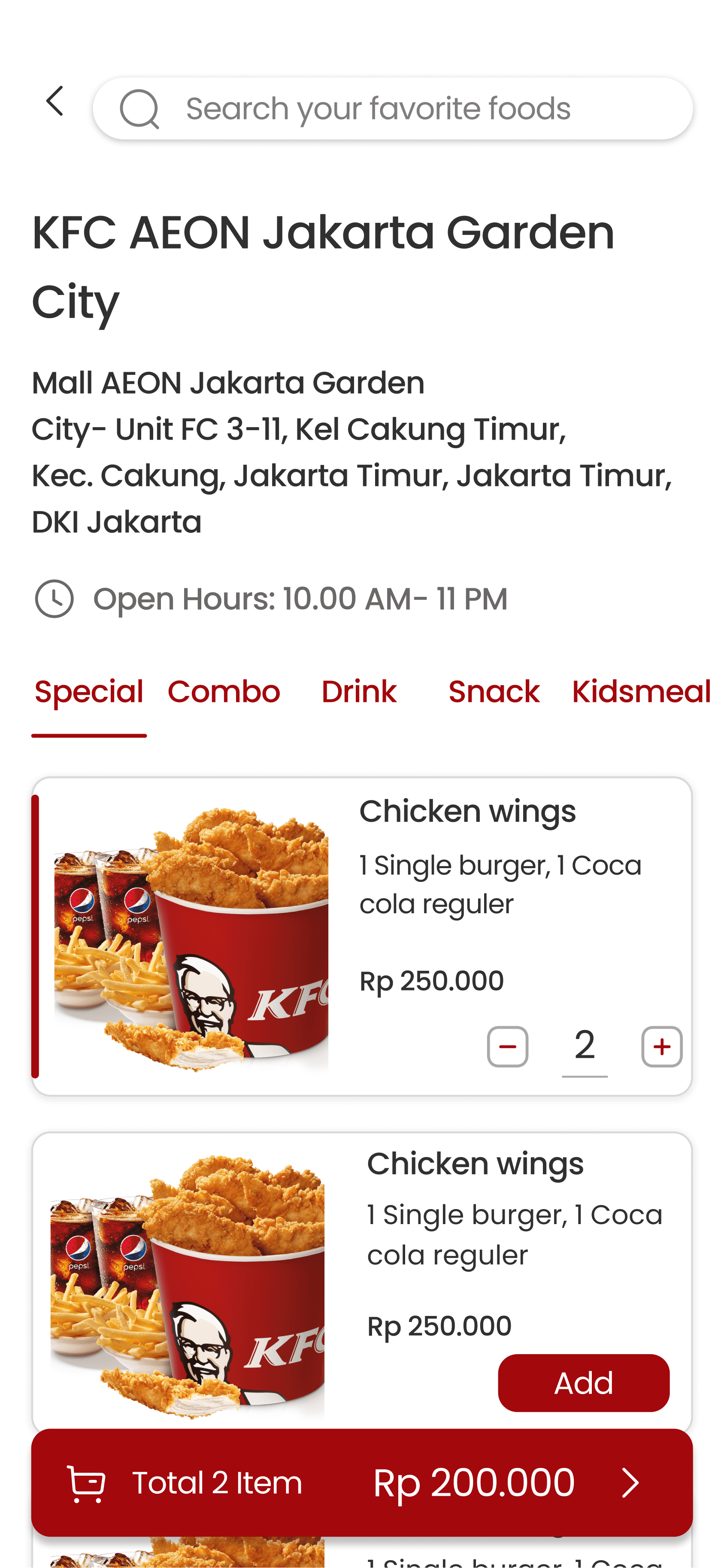
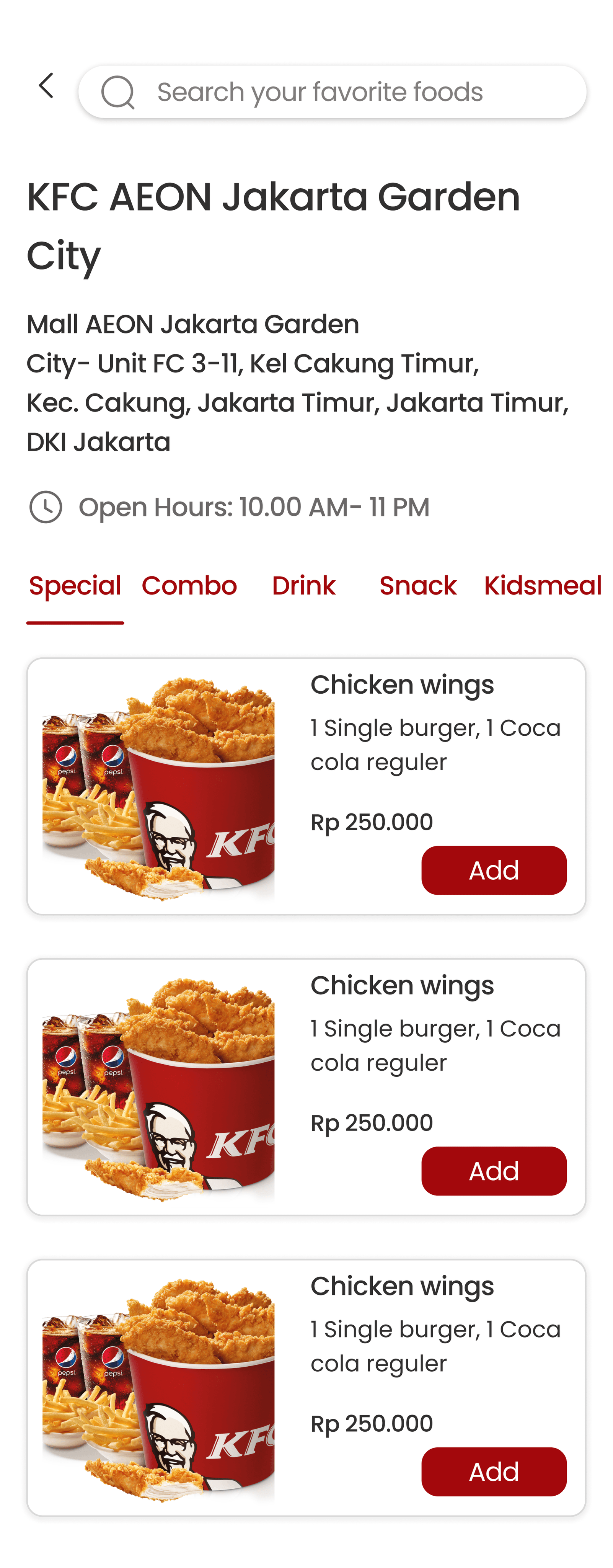
Users can directly search for their favorite foods with search
bar in menu list page
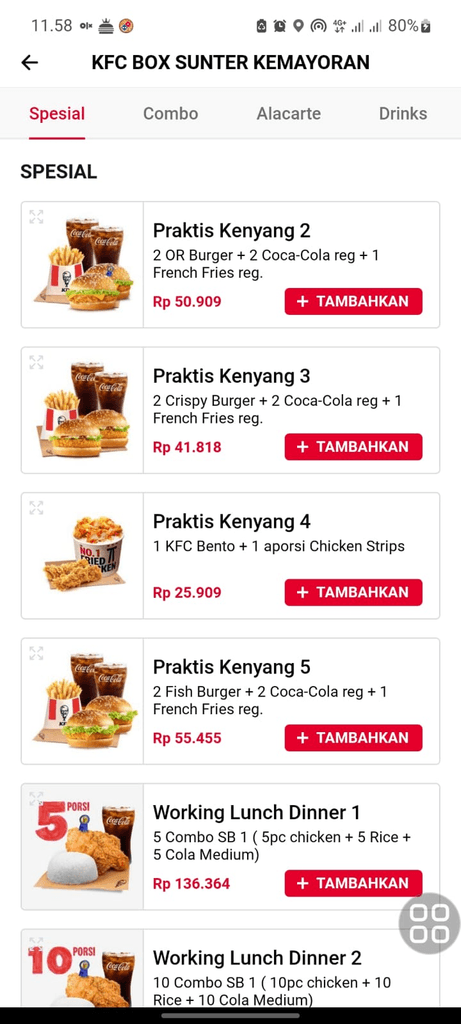
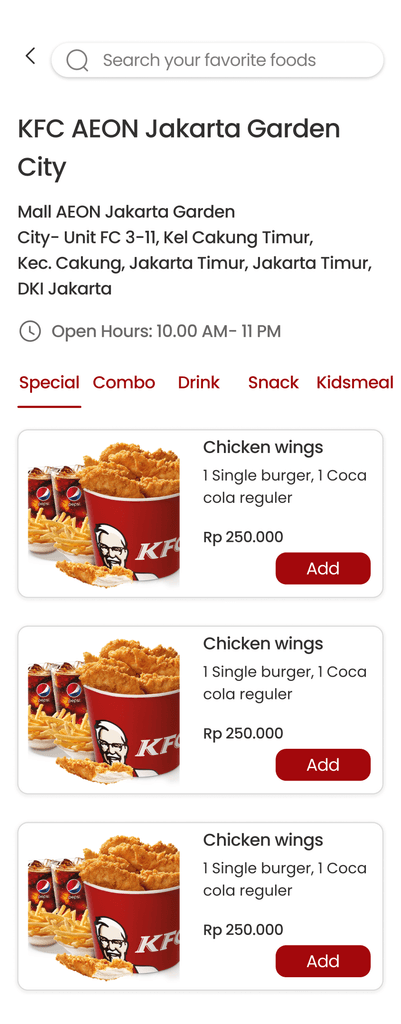
Users can directly search for their favorite foods with search bar in menu list page
Users can directly search for their favorite foods with search bar in menu list page
➡️ Users can directly search the menu without scrolling
➡️ See the full address of the outlet and operating hours
➡️ Given a red font with the same font weight as the active tab
➡️ Users can directly search the menu without scrolling
➡️ See the full address of the outlet and operating hours
➡️ Given a red font with the same font weight as the active tab
Users can directly search the menu without scrolling
See the full address of the outlet and operating hours
Given a red font with the same font weight as the active tab
Before
after
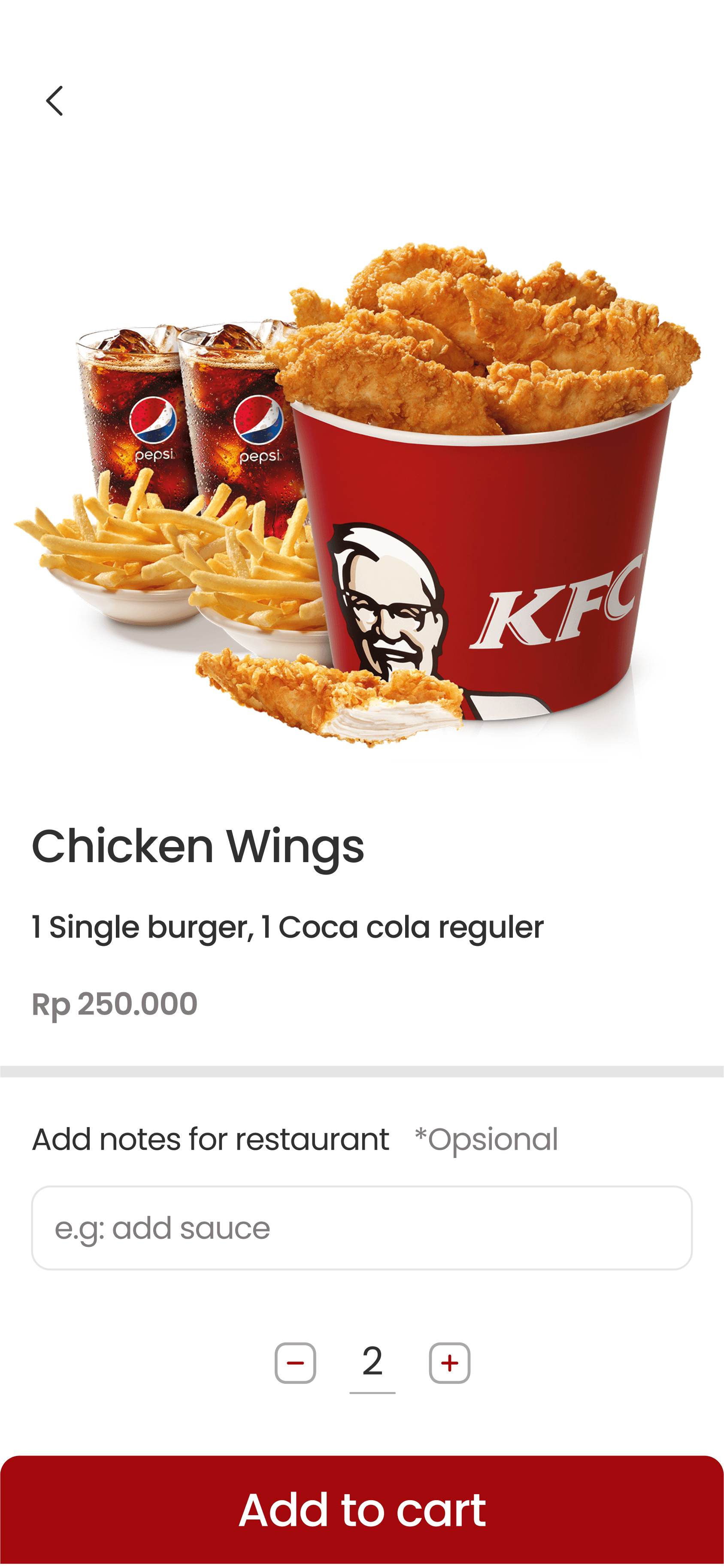
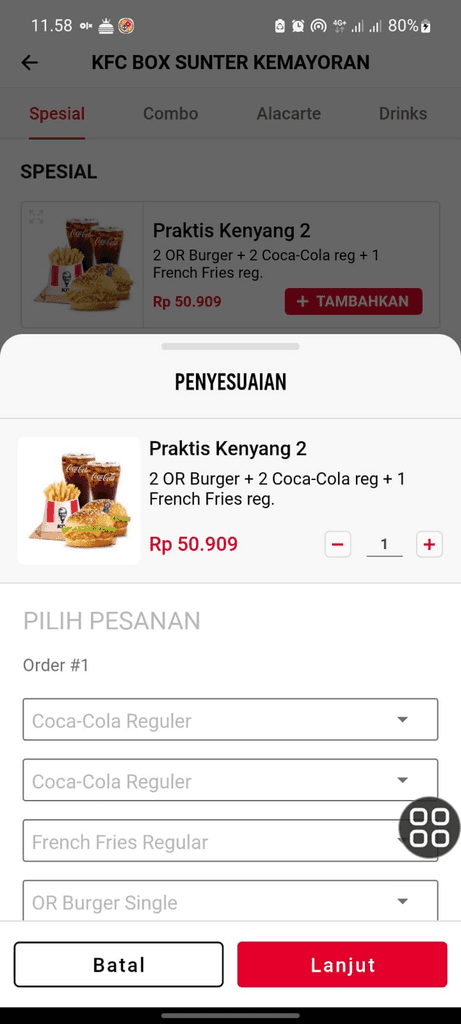
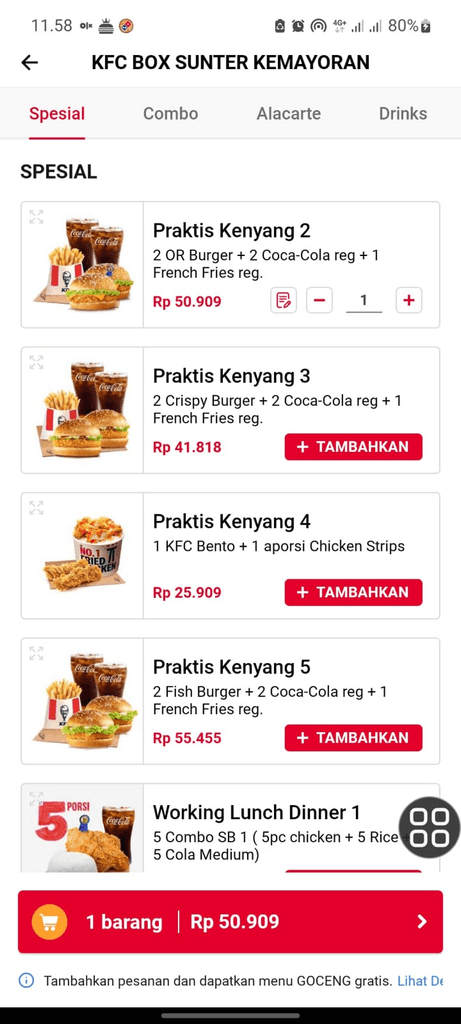
Users can add notes for restaurant when selecting the KFC
menu and see menu details on the same screen
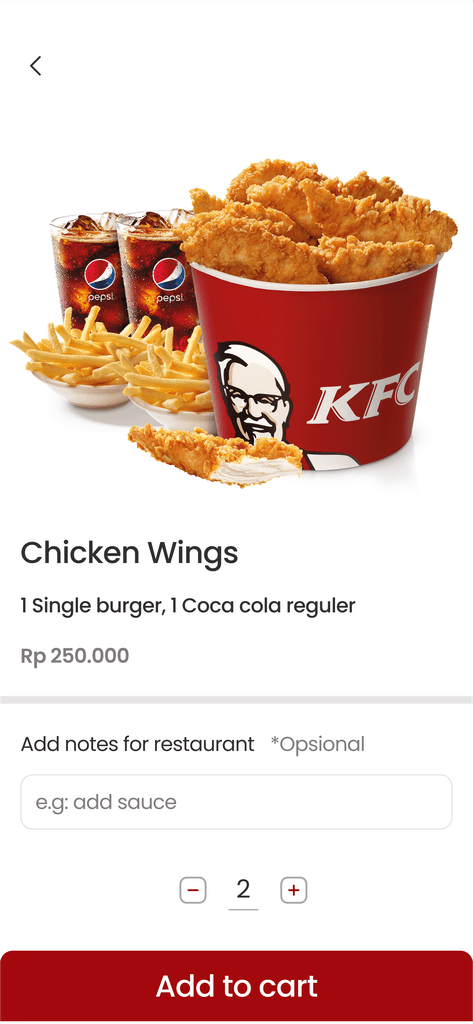
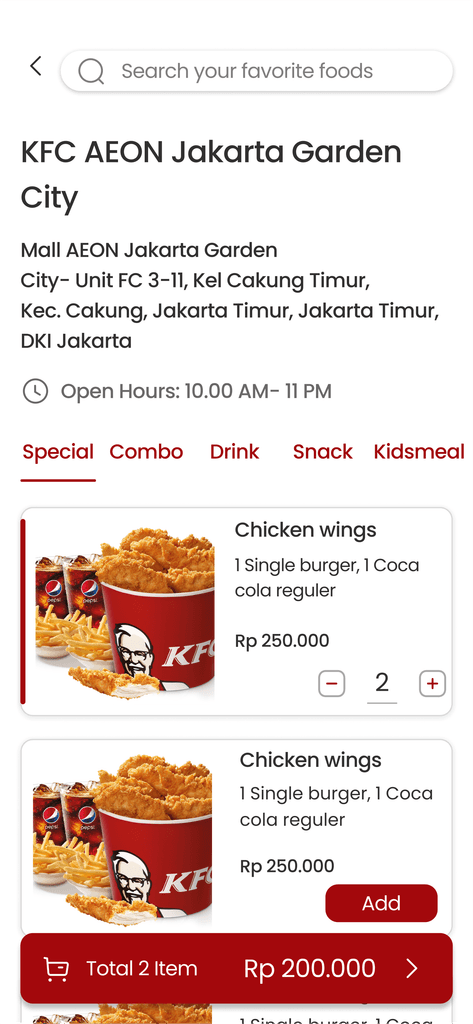
Users can add notes for restaurant when selecting the KFC menu and see menu details on the same screen
Users can add notes for restaurant when selecting the KFC menu and see menu details on the same screen
➡️ Menu image that aligns with the menu description
➡️ Marking line that menu is added to cart
➡️ Notes for restaurant
➡️ Menu image that aligns with the menu description
➡️ Marking line that menu is added to cart
➡️ Notes for restaurant
Menu image that aligns with the menu description
Marking line that menu is added to cart
Notes for restaurant
Before
after
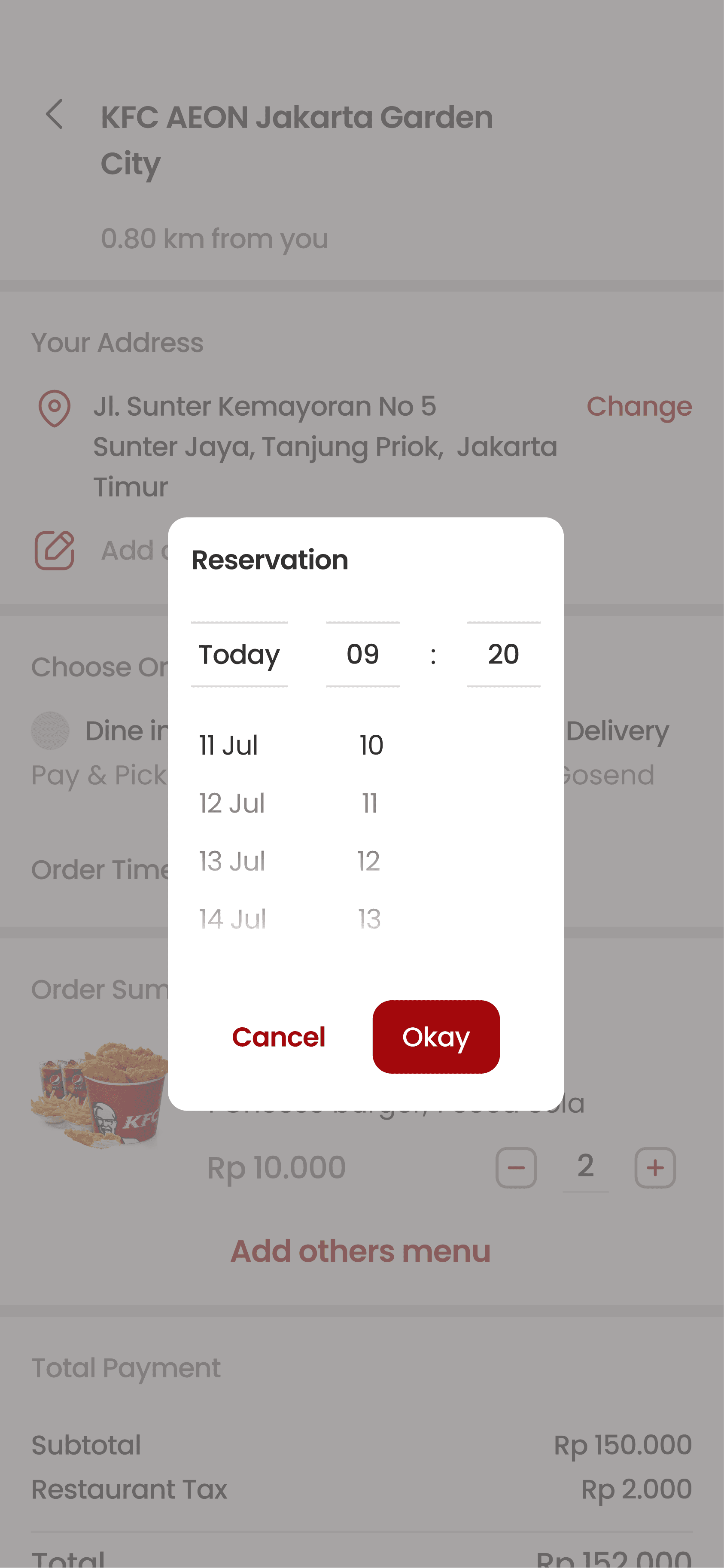
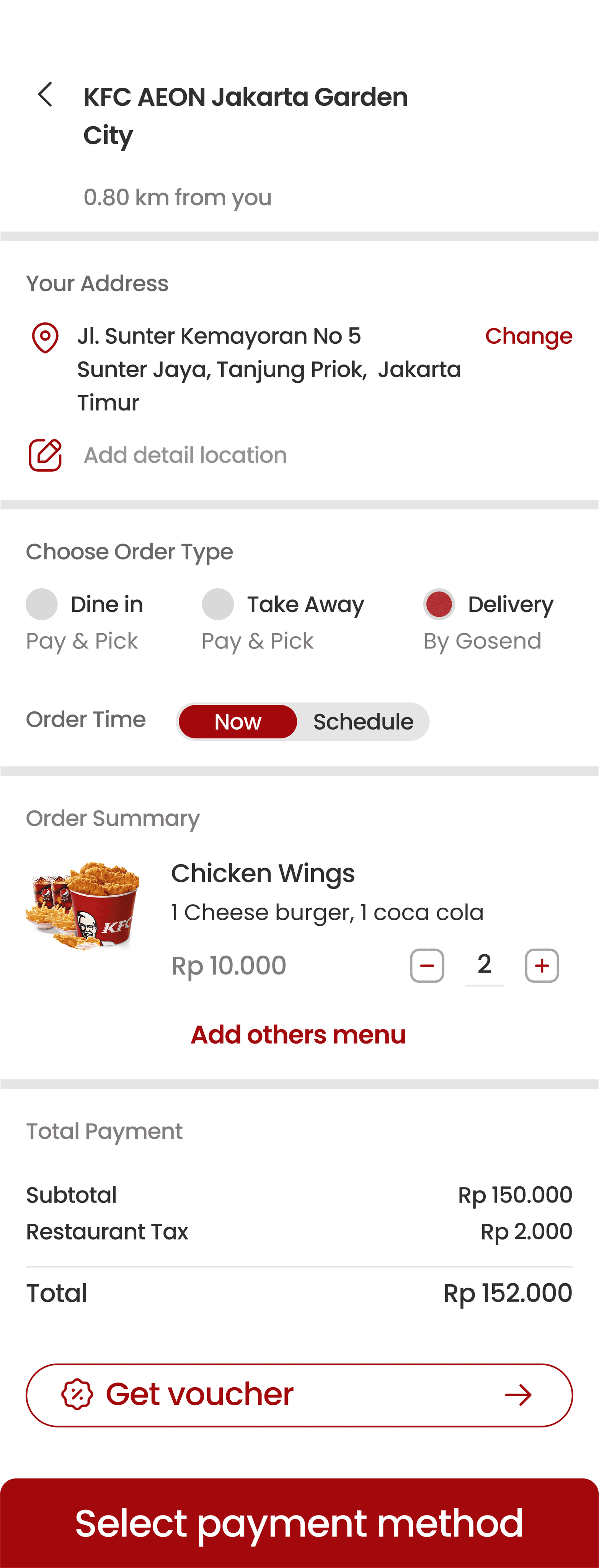
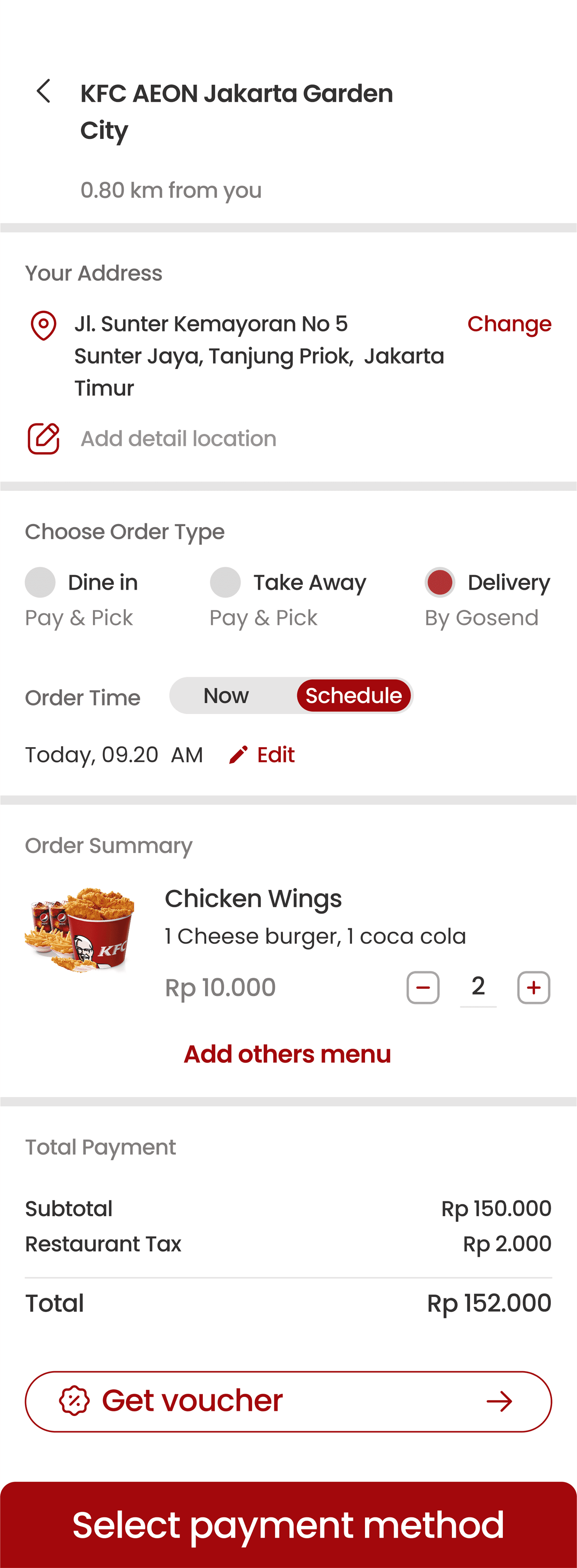
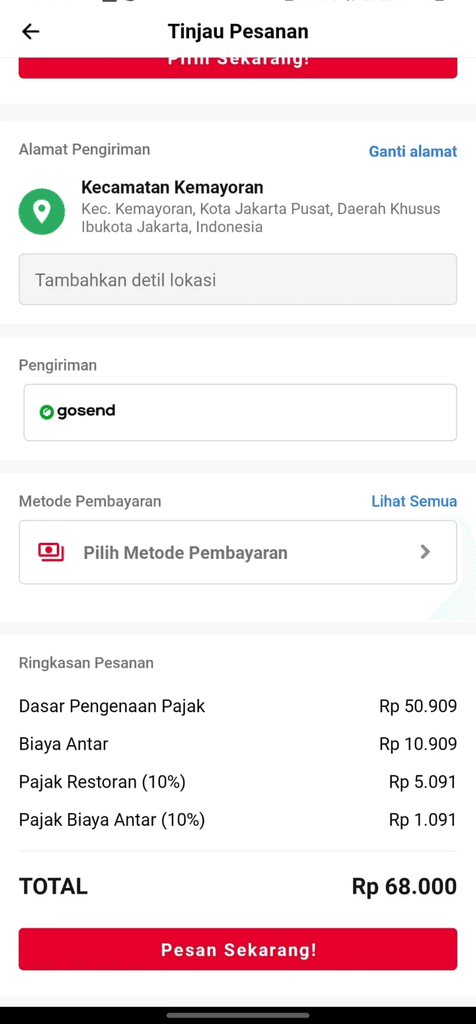
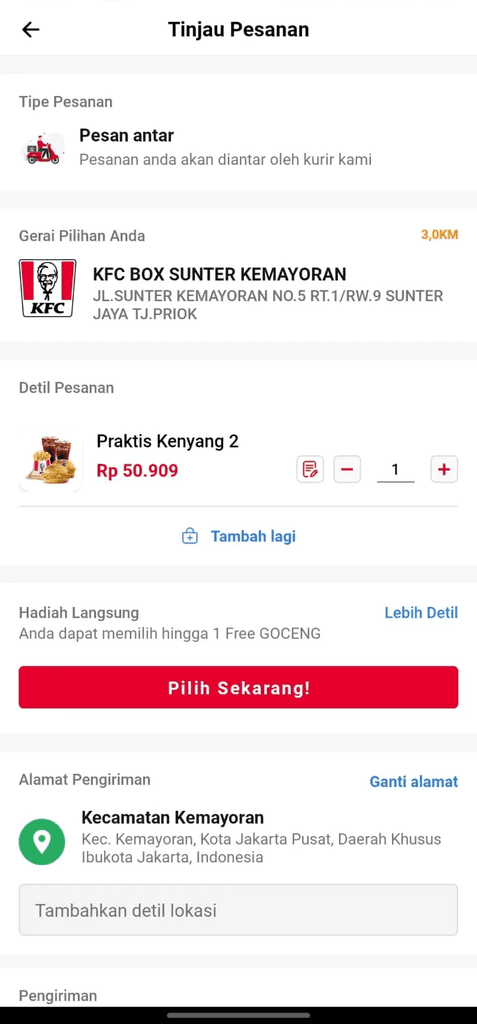
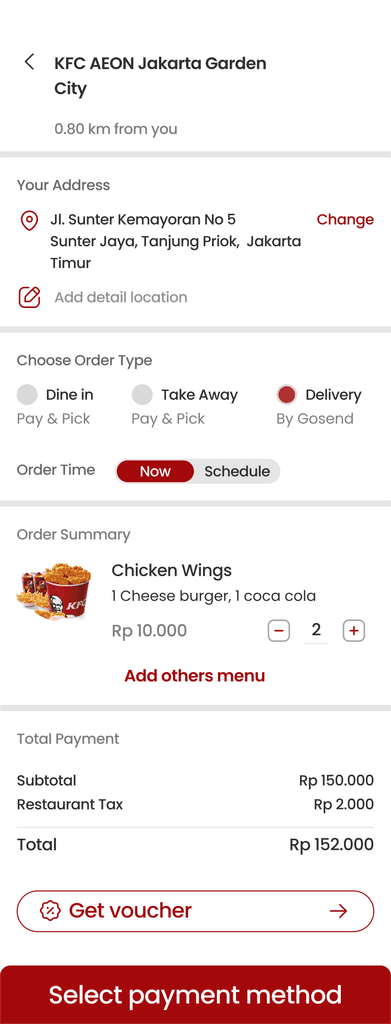
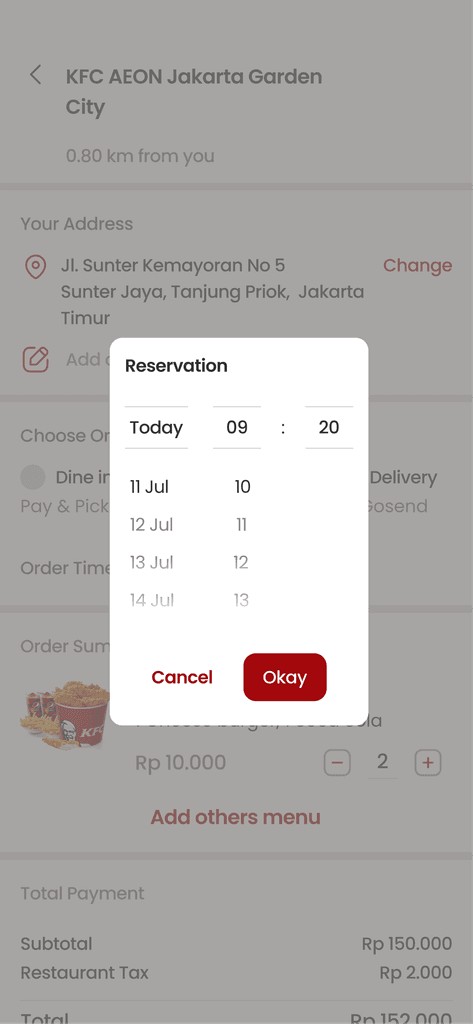
Users can schedule orders if the user needs an order on a
certain schedule
Users can schedule orders if the user needs an order on a certain schedule
Users can schedule orders if the user needs an order on a
certain schedule
➡️ Selection of the type of order at the end
➡️ Can make a reservation at a certain time and can edit the time
➡️ Selection of the type of order at the end
➡️ Can make a reservation at a certain time and can edit the time
Selection of the type of order at the end
Can make a reservation at a certain time and can edit the time
Before
after
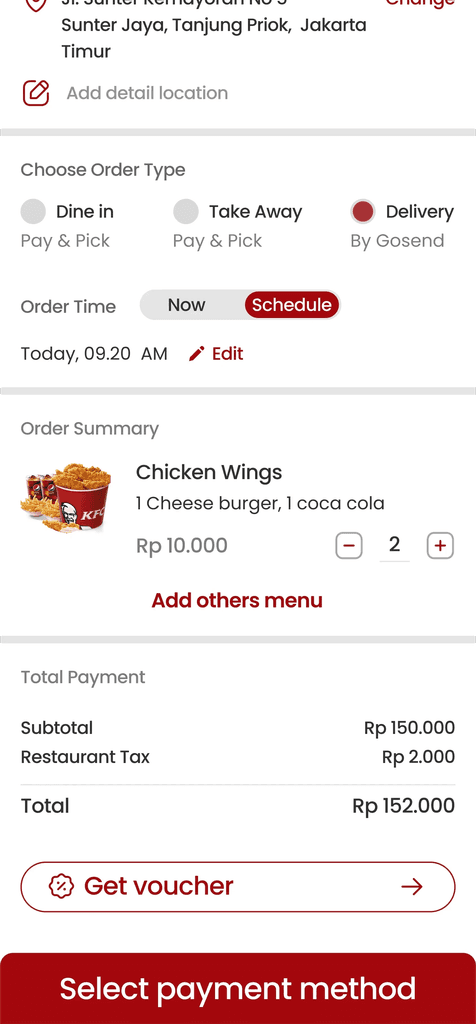
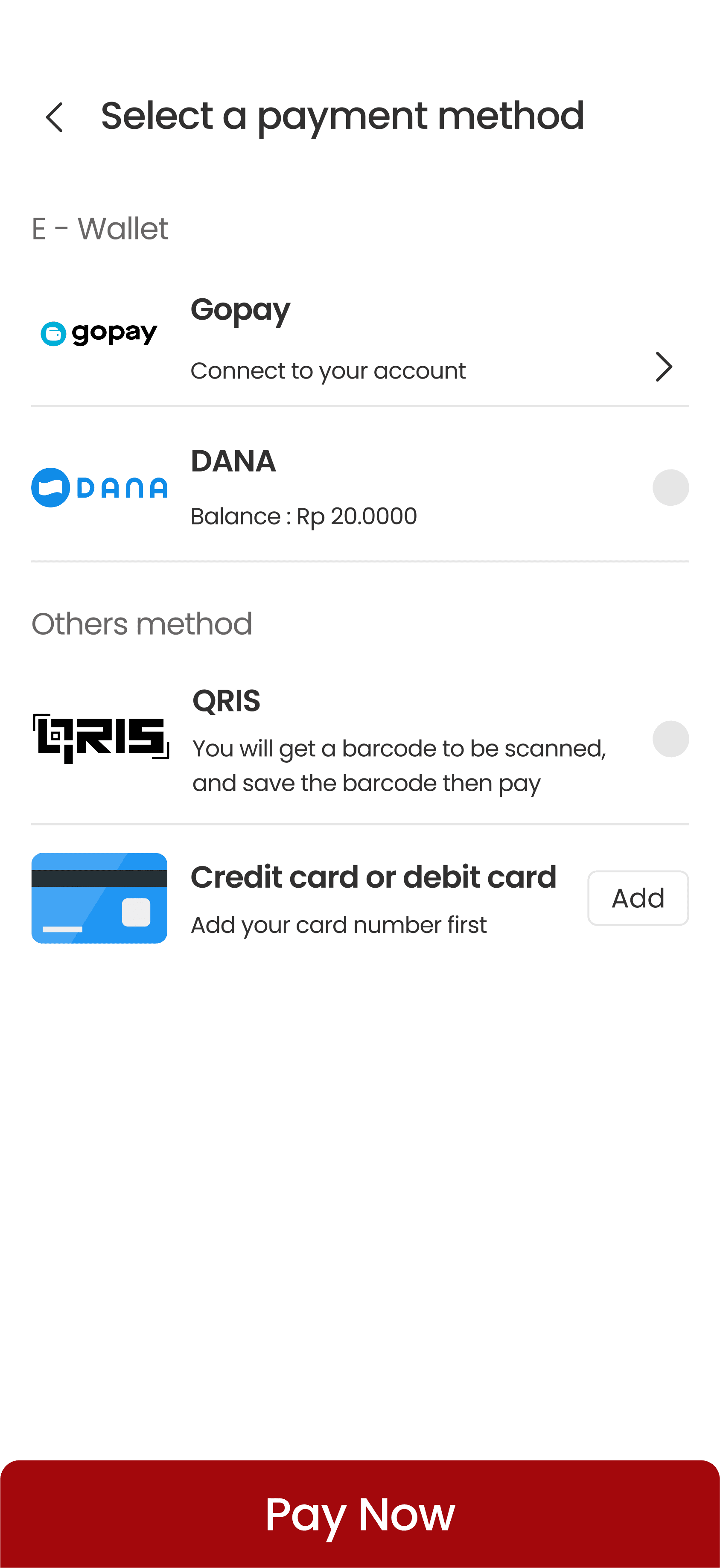
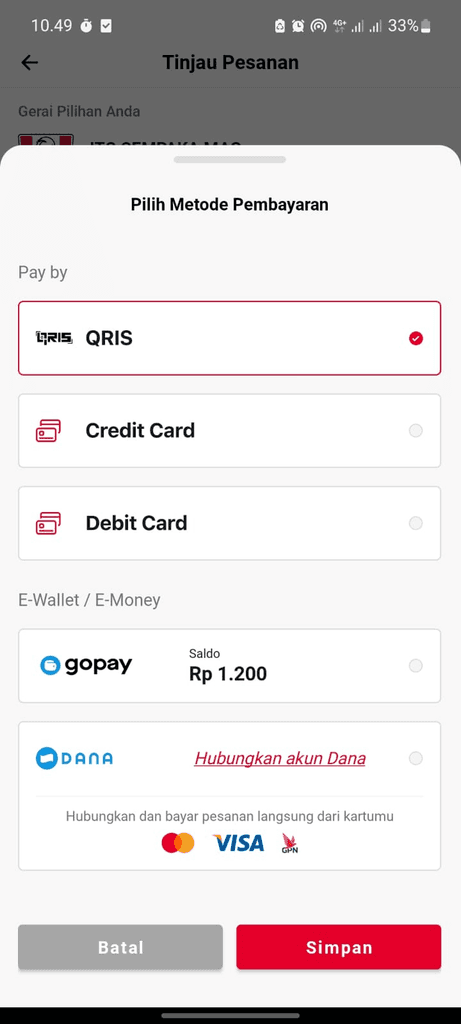
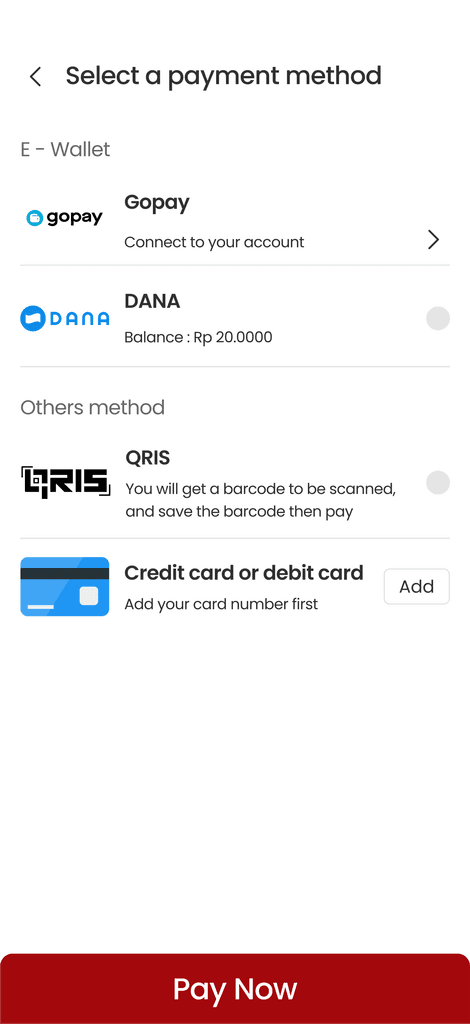
Make users understand the types of payment methods
Make users understand the types of payment methods
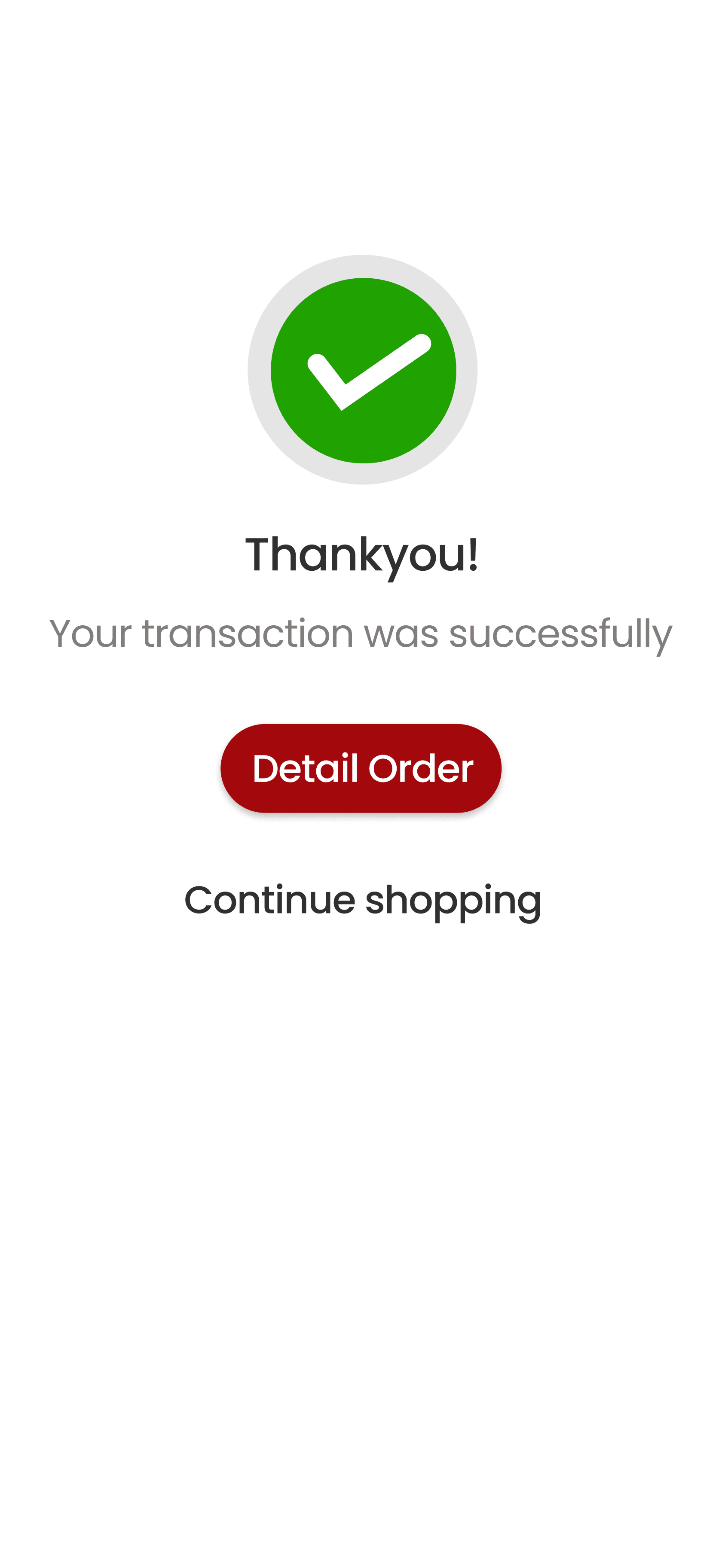
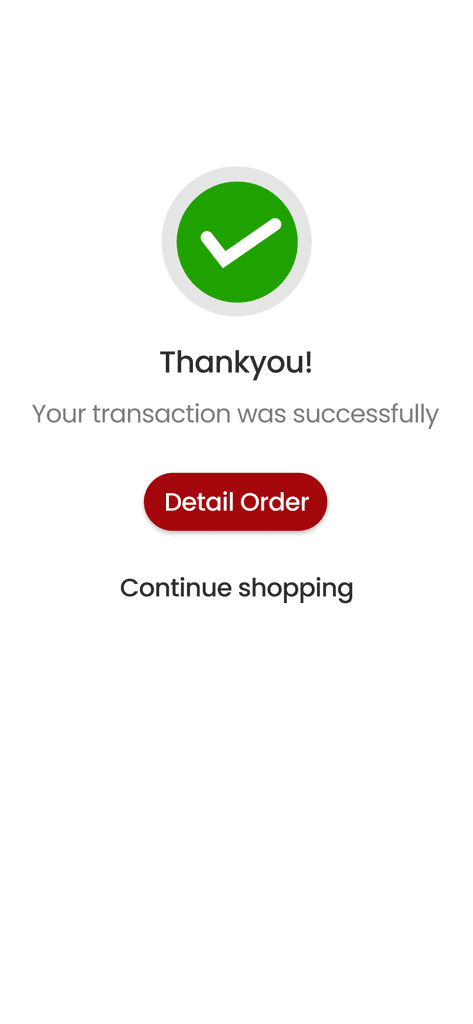
➡️ Button goes to order details and invites users to shop again
➡️ Can see information or payment instructions
➡️ Button goes to order details and invites users to shop again
➡️ Can see information or payment instructions
Button goes to order details and invites users to shop again
Can see information or payment instructions
Before
after
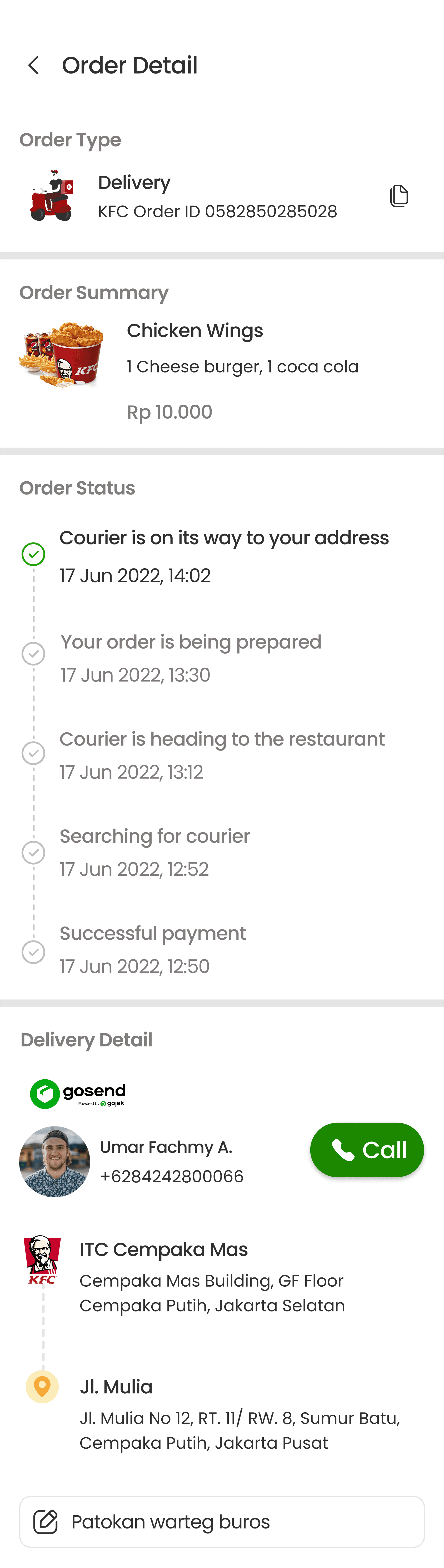
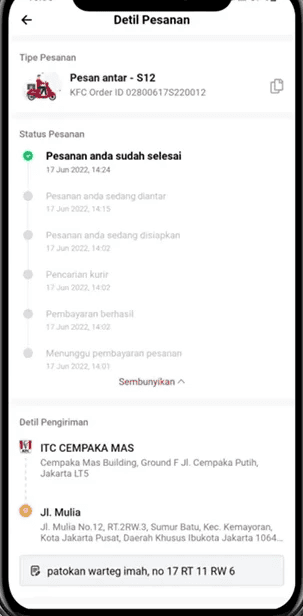
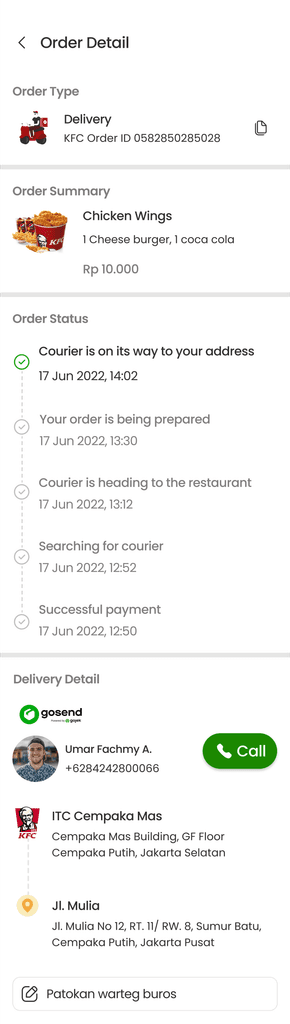
Description of the order status that is clarified when the driver
goes to the user's location
Description of the order status that is clarified when the driver goes to the user's location
Description of the order status that is clarified when the driver goes to the user's location
➡️ Can see order summary
➡️ Description of the courier to the user's house
➡️ Can see order summary
➡️ Description of the courier to the user's house
Can see order summary
Description of the courier to the user's house
Before
after
Effortless Orders,
Delightful Experiences.
Effortless Orders,
Delightful Experiences.
Effortless Orders,
Delightful Experiences.
Interactive Prototype
Impact Metrics
Through usability testing, we use the scenario: "Imagine you want to order KFC during a busy time and prefer having your order delivered directly to your home." The task is: "Please show how you place an order and navigate to the order details page."
Through usability testing, we use the scenario: "Imagine you want to order KFC during a busy time and prefer having your order delivered directly to your home." The task is: "Please show how you place an order and navigate to the order details page."
✅ 100% Success Rate
The user navigated the flow and selected the menu smoothly, without any misclicks.
✅ +48% Conversion Rate
We measure conversion rates based on the success rate of users adding products and displaying them on the POS. This is inline with our target for 6 months.
📝 80.5 System Usability Scale
80.5 Indicates that the application is good enough to be used for further use.
📝 80.5 System Usability Scale
80.5 Indicates that the application is good enough to be used for further use.
⏱️45s Average Time Completion
Measuring how long users spend doing activities in the application.
⏱️ 45s Average Time Completion
Measuring how long users spend doing activities in the application.
High Fidelity Design
High Fidelity Design